KREDLAB

Sites Index · EST. 2026

Kredlab

/ˈkrɛd.læb/ — where I keep the small apps I build.

There is no roadmap here, only a plain list: every app I have built, the problem it sets out to solve, and where to open it. All of them are static pages that run straight in the browser — nothing to install, no account to create.

Applications
04live
Status
ALL LIVE
Domain
kredlab.com
Last update
2026-11-07

Index

4 entries · in release order

EXP · 01 Live Industrial Protocol

ModbusLab

Learn, simulate and test the Modbus protocol in your browser

modbuslab.kredlab.com

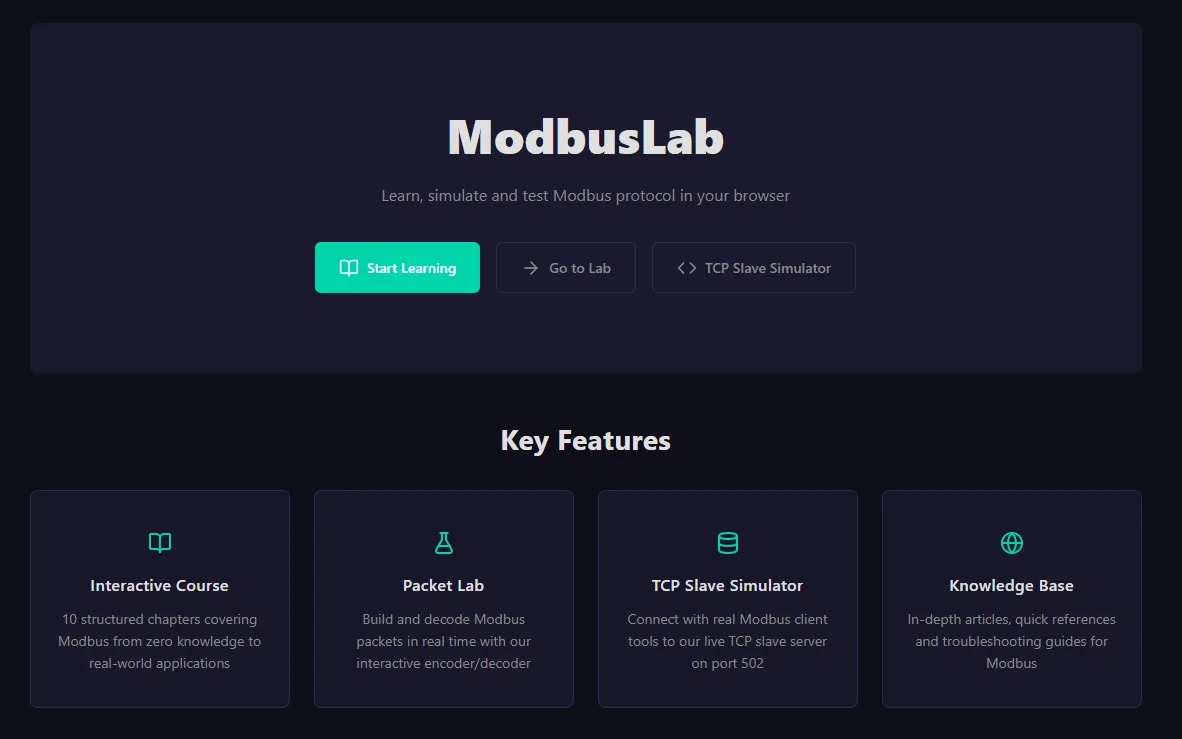
A Modbus lab that requires no software on your machine. The course runs 10 chapters from first principles to the plant floor — frame structure, the four data types, read and write function codes, RTU CRC-16 and the TCP MBAP header — with a separate quiz section to test yourself. Frame Tools will reinterpret the same bytes as 16-, 32- and 64-bit integers or floats across either byte order, and the Modbus Master Tool talks to real hardware over serial through the Web Serial API. The part worth trying is the TCP slave simulator: a live slave at tcp.modbus.kredlab.com:502 exposing 20 coils, 16 discrete inputs, 56 holding registers and 30 input registers, so you can point any Modbus client you already own at it. Getting it wrong costs nothing. The site itself is available in English, Chinese and Spanish.

  • 10-chapter course
  • Packet encoder / decoder
  • Live TCP slave :502
  • Knowledge base
  • English, Chinese & Spanish
Screenshot of the ModbusLab interface
EXP · 02 Live Calendar & Culture

Chinese Festivals

A plain-English guide to 15 Chinese holidays

chinesefestivals.kredlab.com

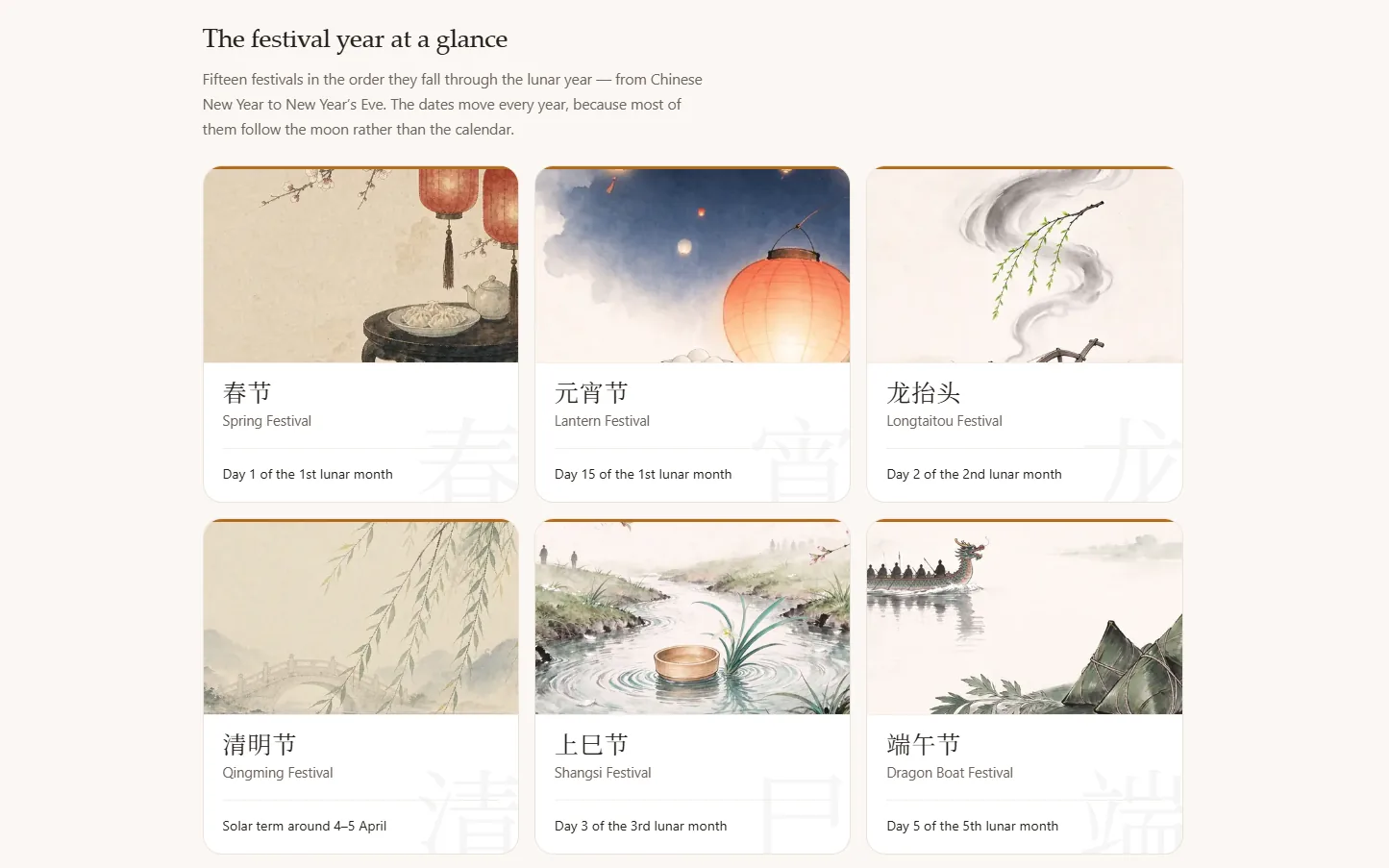
Fifteen festivals in plain English: when each one falls, why it falls there, and what people actually do that day. The site's real obsession is the dates. Rather than copying a table, it computes every festival from 2026 through 2040 out of the lunar calendar and the sun's apparent longitude, then checks the result against a second, independent lunar calendar and against published tables — and where those sources disagree, it says so instead of smoothing it over. Two of the fifteen, Qingming and the Winter Solstice, are solar terms rather than lunar dates, which is why they barely move; the rest drift, but never far. Spring Festival always stays inside 21 January – 21 February. The homepage counts down to the next one at local midnight.

  • 15 festivals
  • Dates computed, 2026–2040
  • Cross-checked, two calendars
  • Countdown to local midnight
Screenshot of the Chinese Festivals interface
EXP · 03 Live Everyday Life

Chinamaxxing

Every habit in China has a date

chinamaxxing.kredlab.com

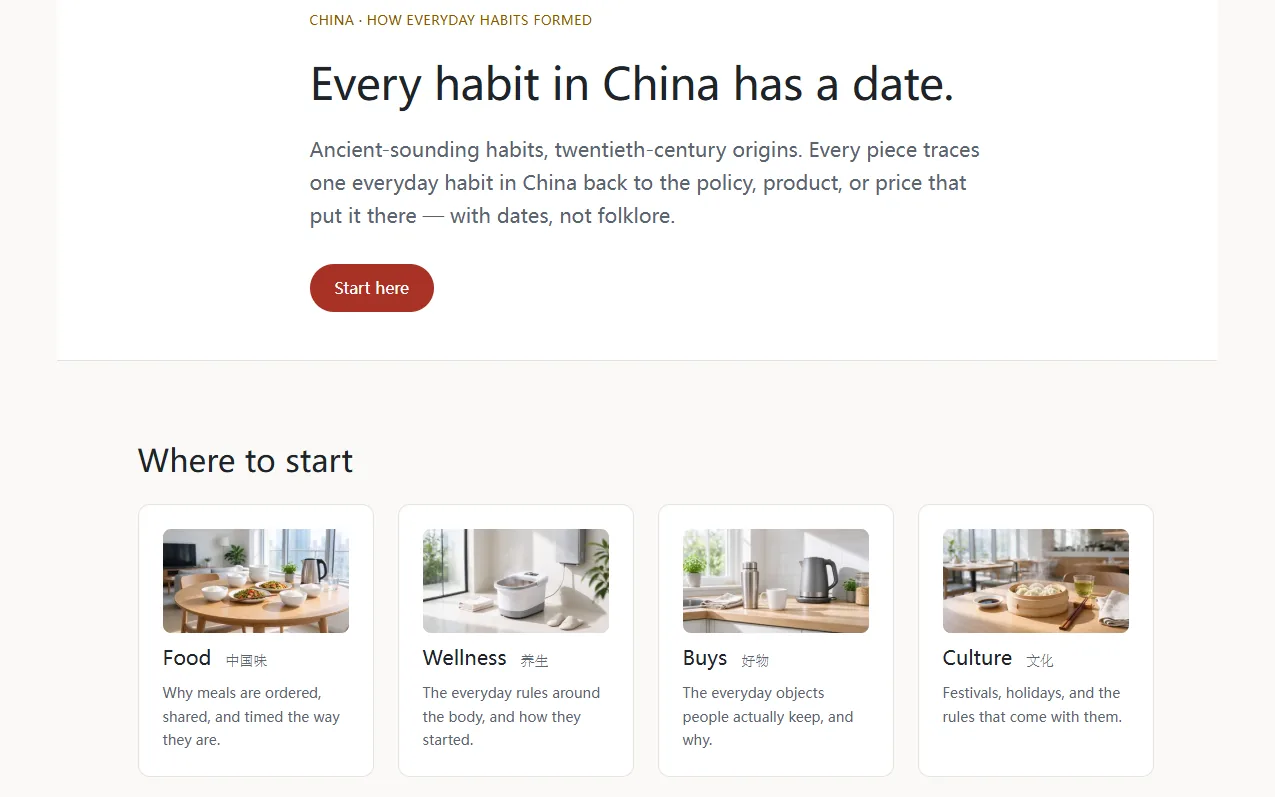
Most of what gets called ancient custom in China was settled in the twentieth century. Each piece takes one ordinary habit — hot water arriving before you order it, a thermos that travels with you, QR payment replacing cash — and traces it back to the policy, product or price that made it normal. The unit of evidence is a year and a cause you can check, not an impression. It is organised into six sections: Food, Wellness, Buys, Culture, CityLife and Language. Pieces are drafted in Chinese, then edited into English by a native speaker, and the site is explicit about what it will not do — no medical advice, and nothing called ancient without evidence that it is.

  • 6 sections
  • Dated, not folklore
  • A year and a cause
  • Drafted in Chinese, edited in English
Screenshot of the Chinamaxxing interface
EXP · 04 Live Traditional Calendar

Chinese Almanac

A working huangli for any date you care to ask about

almanac.kredlab.com

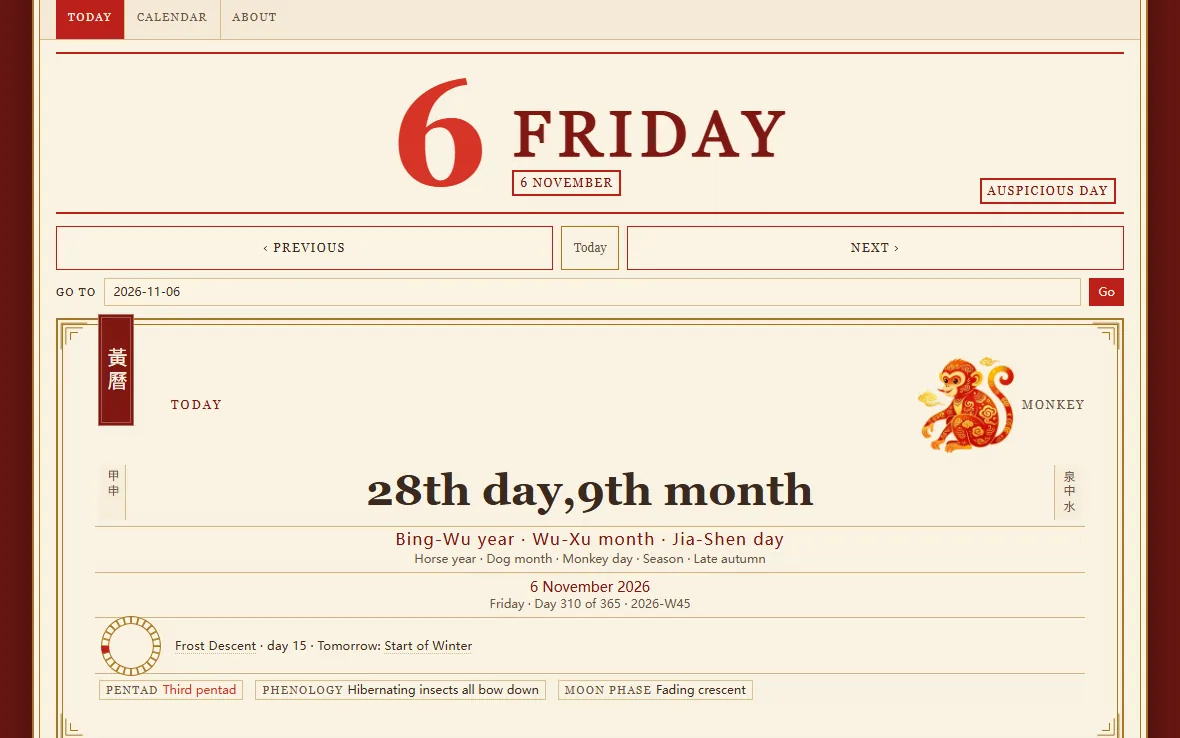
The old Chinese calendar book, rebuilt as something you can actually query. Pick a date and it works out the ganzhi year, month and day, the lunar date, the zodiac animal, the nayin element, the day deity, the clash, the sha, the xun and xun-kong — then gives the 117 activities in the vocabulary, marking which are auspicious for that day and which are not, with a twelve-hour table doing the same for each double hour. All of it is computed in the browser from the calendar rules, so any date from 1901 to 2099 works and nothing ever leaves the device. What makes it different from the printed original is that it tells you where it might disagree with a paper almanac: five conventions are listed plainly — the lunar year turns at the first day of the first lunar month rather than at the Start of Spring, solar terms use the astronomical method, a day follows your own time zone — and where the library and a printed book differ, the computed value is shown unchanged rather than adjusted to match. There is also a glossary of 951 terms in English and Chinese, each translated in one place so the card, the month grid and the hour table always read the same.

  • 1901–2099
  • 117 activities, marked day by day
  • Twelve-hour table
  • 951-term bilingual glossary
  • Five conventions stated
Screenshot of the Chinese Almanac interface
EXP · 05 Reserved

Reserved

The next app is still being built. When it ships, this slot gets a write-up, a screenshot and an entrance — adding one is a matter of copying a single block.

Frequently asked

plain answers, checked against the apps themselves

What is Kredlab?

An index of small, free tools that run entirely in your browser, built by one developer. Right now that means ModbusLab, a course and toolset for the Modbus protocol; Chinese Festivals, a guide to holiday dates; Chinamaxxing, a dated history of everyday habits in China; and Chinese Almanac, a working version of the traditional calendar book. Nothing to install, no account to create.

Can I really connect to your Modbus TCP slave from anywhere?

Yes. Point any Modbus TCP client you already own at tcp.modbus.kredlab.com:502 and it responds — 20 coils, 16 discrete inputs, 56 holding registers and 30 input registers, read and write where the real thing would allow it. If you would rather start from theory, the 10-chapter course builds up from frame structure to function codes, and getting a request wrong costs nothing.

How far ahead are the Chinese festival dates computed?

Every date on the full date table is computed from the lunar calendar and the sun's apparent longitude for 2026 through 2040, then cross-checked against a second, independent lunar calendar and published tables — and where those sources disagree, the site says so instead of smoothing it over. Spring Festival always falls between 21 January and 21 February; the homepage counts down to the next one at your local midnight.

What is a Chinese almanac (huangli), and what does this one cover?

The huangli is the traditional Chinese datebook that marks which activities are auspicious or inauspicious on a given day. Our version computes one for any date from 1901 to 2099 — the ganzhi year, month and day, the lunar date, the zodiac animal, the clash — with a 117-entry vocabulary of activities, a table for each of the twelve double hours, and a 951-term bilingual glossary. All of it is calculated in your browser, and the five conventions behind the numbers are listed on the site so you can check them.

Do these apps need an account, or collect any data?

No, and none. Every app is a static page: festival dates, ganzhi calculations and Modbus frames are computed on your own device. There are no cookies, no trackers, no analytics scripts and nothing to sign up for — this homepage is a single HTML file that fetches no third-party code at all.

About this site

how it is built

01Static, with no backend

One HTML file carries all the styling and scripting — no framework, no database, no cookies and no analytics. It opens fast, hosts cheaply, and it will never go down because a server did.

02One subdomain per app

modbuslab, chinesefestivals, chinamaxxing and almanac are deployed independently. If one of them breaks, this page and the other apps carry on as usual.

03Dark and light

Switch the theme from the top right corner and the choice is remembered. Everything is set in system fonts, so no webfont file is ever fetched and the page still renders on a slow connection.

04The image slots are automatic

Drop a screenshot into assets/img/ under the right name and the page shows it on the matching card. With no image there, a placeholder holds the space so the layout never collapses.

How to add a new app (three steps)
  1. Open index.html and find the comment <!-- ==== 01 · ModbusLab ==== -->.
  2. Copy one whole <article class="entry">…</article> block and swap in the new app's title, URL, write-up and tags.
  3. Add another <div class="slot">…</div> below it as the new reserved slot, or just delete that block.

The image slot only needs a name. Save the screenshot under that name in assets/img/:

<figure class="shot" data-shot="mynewapp">
  <img alt="Screenshot of my new app" data-slot>
  …
</figure>

# Any one of these is picked up, in order webp → jpg → png
assets/img/mynewapp.webp
assets/img/mynewapp.jpg
assets/img/mynewapp.png

Or skip the ceremony: send me the URL of the new app and I will edit this page and write the copy for it.